
How to Use Electric Car Charging Stations: A Simple Step-by-Step Guide
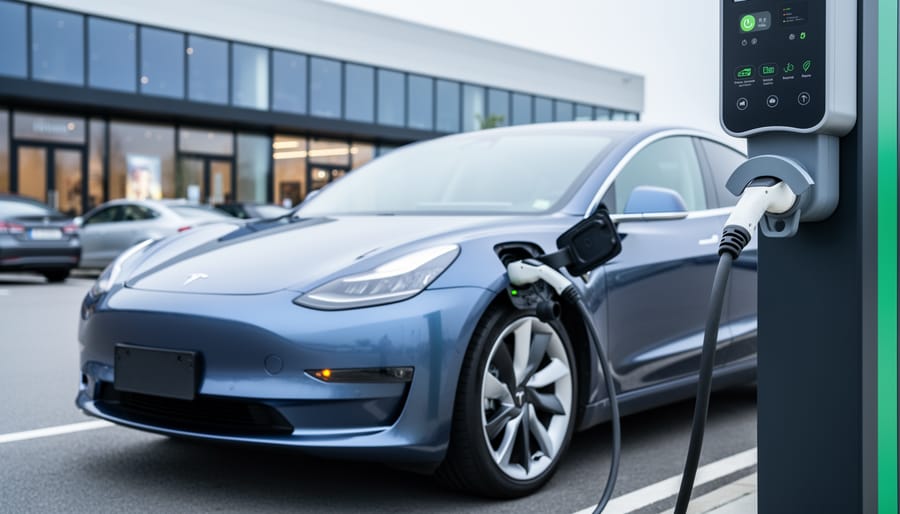
Using a charging station for an electric car takes about 5 to 45 minutes depending on the charger type, and the process is simpler than pumping gas once you know the basics. You’ll locate a compatible station through your vehicle’s navigation or a charging app, park in the designated spot, authenticate payment through a card or app, connect the charging cable to your car’s port, wait for confirmation that charging has started, and return when your battery reaches the desired level. Most first-time EV drivers worry about compatibility, payment confusion, or whether they’re doing it correctly, but modern charging stations are designed with clear visual cues and standardized connectors that make mistakes nearly impossible.
The real challenge isn’t the physical act of charging. It’s the mental shift from a five-minute gas station routine you’ve known your whole life to understanding that charging becomes part of your parking habit, not a separate errand. Sarah Chen, a marketing consultant from Portland who switched to an EV in early 2026, put it perfectly when she told our community: “I spent two weeks anxious about public charging before realizing I was overthinking it. Now I plug in while grocery shopping, and my car charges itself while I’m doing something I’d do anyway.”
This guide walks you through every detail of the charging process, from identifying the right connector type for your vehicle to troubleshooting the occasional station glitch. Whether you’re test-driving your first electric car or you’ve just brought one home and need to venture beyond your home charger, you’ll finish this article ready to charge anywhere with confidence.
What You’ll Need Before You Charge
Before you pull up to your first charging station, a little preparation goes a long way. The good news? You probably already have most of what you need right in your pocket or glove compartment. Unlike fueling a gas car where you just swipe a credit card and pump, EV charging involves a few digital tools that make the experience smoother once you’ve set them up.
Your Pre-Charge Checklist
- Charging network app downloaded and account created (ChargePoint, EVgo, Electrify America, or your automaker’s app)
- Payment method linked to your charging app or a credit card that works at pay-per-use stations
- Knowledge of your vehicle’s charging port location and how to open it
- Any necessary adapters for your vehicle’s specific connector type
- Station network membership card, RFID tag, or account credentials if using network-specific chargers
The charging app is your command center. Most networks have their own apps where you can locate stations, check availability in real time, start charging sessions, and track your costs. Download the apps for the major networks in your area before you need them. Many let you add your vehicle details, which helps the app recommend compatible stations and estimate charging times.
Payment methods vary by station. Some accept contactless credit cards directly at the charger, while others require app payment or a pre-loaded account balance. A few stations still use RFID cards or key fobs that you tap to activate charging. If you plan to use a particular network regularly, signing up for their membership program often provides discounted rates and simplifies the activation process.
Know where your charging port is located and practice opening it at home. Different EV models place ports on the front fender, rear quarter panel, or even behind the front grille. Some open with a button inside the car, others from the key fob, and a few release automatically when you unlock the vehicle.
Finally, check whether you need an adapter. Tesla drivers charging at non-Tesla stations typically need a J1772 adapter, which usually comes with the vehicle. Other EVs generally use standardized connectors, but it’s worth confirming your car’s plug type matches the stations you’ll encounter.
Understanding Charging Station Types
Not all charging stations are created equal, and understanding the differences helps you plan smarter routes and manage your time. The three main types operate at different speeds and serve distinct purposes in your EV charging routine.
Level 1 Charging uses a standard 120-volt household outlet, the same one you’d plug a lamp into. It’s the slowest option, adding roughly 3 to 5 miles of range per hour. You’ll primarily use this at home overnight or during extended workplace parking. While convenient because it requires no special equipment beyond the cable that came with your EV, it’s impractical for public charging due to the lengthy wait times.
Level 2 Charging operates on 240-volt power and delivers 10 to 60 miles of range per hour, depending on your vehicle’s onboard charger capacity. This is the workhorse of public charging infrastructure. You’ll find Level 2 stations at shopping centers, office parks, hotels, and residential parking garages. The Level 1 versus Level 2 distinction matters most for daily charging decisions, Level 2 turns a grocery run or dinner out into a meaningful charging opportunity.
DC Fast Charging (also called Level 3) bypasses your car’s onboard charger to deliver direct current at high power, adding 100 to 300 miles in 20 to 40 minutes. These stations cluster along highways and major corridors, designed for road trips rather than routine errands. They’re more expensive per kilowatt-hour but essential for long-distance travel.
Modern 4-in-1 charging stations at some locations offer multiple connector types and power levels at a single site, eliminating compatibility worries. Knowing which type suits each journey, overnight Level 1 at home, opportunistic Level 2 during activities, fast charging on trips, transforms charging from a concern into a seamless part of your routine.
Step-by-Step: How to Use a Charging Station
Locating and Arriving at the Station
Finding a charging station is easier than you might think. Most electric vehicles come with built-in navigation that shows nearby chargers, displays real-time availability, and automatically filters by your car’s connector type. If your vehicle’s system doesn’t include this feature, dedicated apps like PlugShare, ChargePoint, and Electrify America offer comprehensive station maps with user reviews, pricing information, and photos of the actual locations.
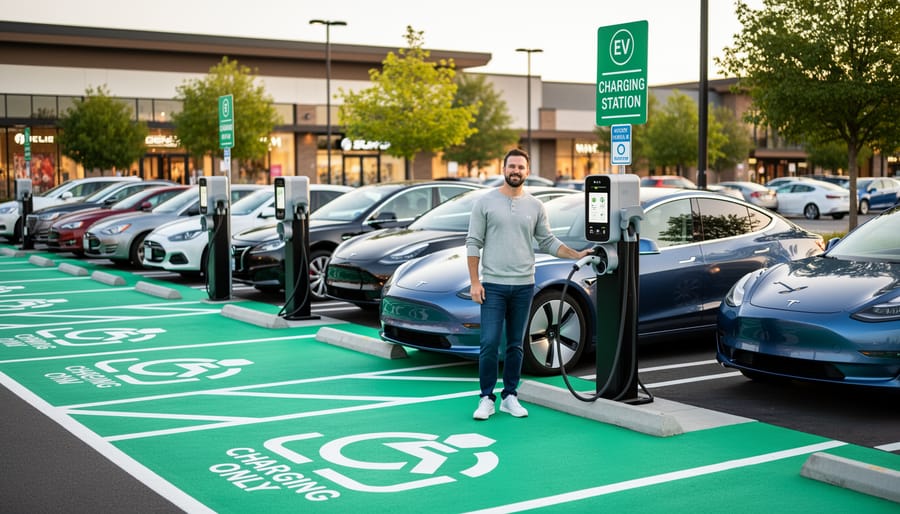
When approaching your chosen station, look for clear signage directing you to the charging bays. Many locations mark EV charging spaces with green pavement paint or distinctive overhead signs. If you’re heading to a large parking facility or shopping center, check the app’s location notes, users often leave helpful details like “behind the main building” or “near the north entrance.”
Once you arrive, verify you’re at the correct charger type for your vehicle. DC fast chargers typically stand alone with large cable dispensers, while Level 2 stations often line parking spaces with wall-mounted or pedestal units. If multiple chargers are present, choose an available one that matches your vehicle’s charging capability.
Activating and Starting Your Charge
Most modern charging stations offer multiple ways to start your session, and the method you use often depends on the network and your membership status.
App-Based Activation is the most common approach. Download the charging network’s app (ChargePoint, EVgo, Electrify America, etc.), create an account, and add a payment method. When you arrive at a station, open the app, select your charger from the map, and tap “Start Charging.” The station will authorize within seconds, and you can plug in.
RFID Cards or Key Fobs work like tap-to-pay cards. If you’re enrolled in a network membership, you’ll receive a card or fob. Simply wave it near the reader on the station, usually marked with a contactless symbol, and wait for the green light or beep confirming activation.
Credit Card Readers let you pay directly at the station without apps or memberships. Insert or tap your card, follow the screen prompts, and the station will activate. This works great for one-time charging but may cost slightly more than member rates.
QR Code Scanning is gaining popularity. Some stations display a QR code you scan with your phone’s camera, which redirects you to a payment page or quick-start interface.
Sarah, a first-time EV owner, shared her experience: “I panicked when the app wouldn’t load at my first public station. Then I noticed the credit card reader right on the front. Three taps later, I was charging. It was easier than using a gas pump.”
Connecting the Charging Cable Correctly
Grip the charging connector firmly and align the pins with your vehicle’s charging port, don’t force it. You’ll feel a slight click when it seats properly, and most vehicles lock the cable automatically to prevent disconnection during charging. If you’re struggling to insert the plug, check that you’re using the correct connector type for your vehicle; using compatible equipment will avoid connector frustration.
Once connected, watch for confirmation signals. Your dashboard typically displays a charging icon or flashing indicator light, often green or blue. Many EVs chirp or chime to confirm the connection. The charging station itself will show active status through LED lights, solid green usually means charging in progress, while blinking may indicate communication with your vehicle.
Simultaneously, check your charging app (if you’re using one). It should display real-time updates showing charging speed, estimated completion time, and current battery percentage. If none of these indicators appear within 30 seconds, the connection likely failed, disconnect and try again, ensuring the cable clicks firmly into place.
Ending Your Session Safely
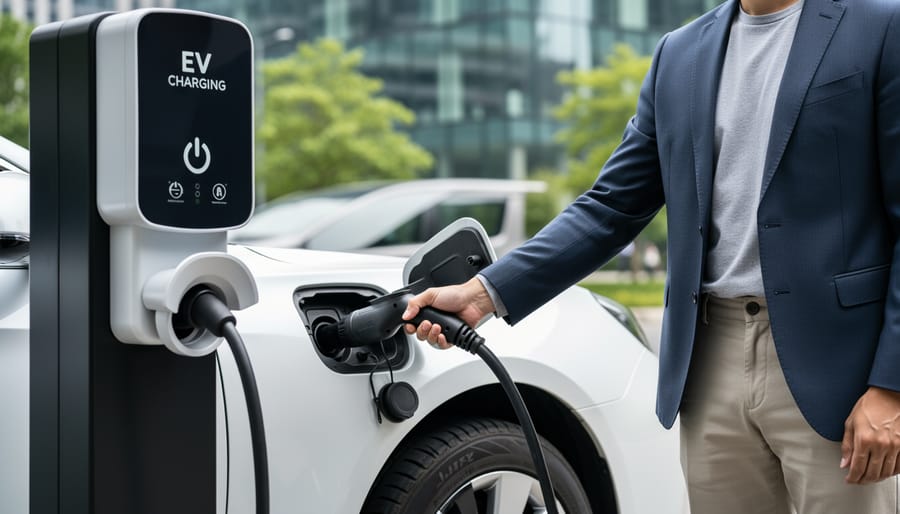
Ending a charging session correctly protects your vehicle and the equipment. When you’re ready to disconnect, first stop the session through your charging app, the station’s touchscreen, or by tapping your RFID card again, don’t just pull the cable out. Wait for confirmation that charging has stopped; your dashboard will update, and the station’s indicator light typically changes from green to white or blue.
Once confirmed, press the release button on your vehicle’s charging port while firmly gripping the connector handle. Pull straight out with steady pressure, no twisting or yanking. Some connectors lock during charging, so if it resists, double-check that the session truly ended and look for a secondary release button on the connector itself.
After disconnecting, return the cable to its holster neatly. Most networks automatically process payment through your registered account, but verify on your phone that the session closed properly and review the final cost before driving away.
Safety Tips and Best Practices
While charging your EV is generally safe and straightforward, following proper safety practices ensures a smooth experience for you and other drivers. Modern charging stations include built-in safety features, but your awareness makes all the difference.
Electrical Safety First
EV charging equipment is designed with multiple safety mechanisms, including ground fault protection and automatic shutoff. However, always inspect cables before use. Look for frayed insulation, exposed wires, or damaged connectors. If you spot any issues, choose a different charging point and report the problem through the station’s app or network.
Never charge with wet hands or during severe weather conditions like lightning storms. Most stations can handle rain and snow, they’re built for outdoor use, but if conditions seem unsafe, wait it out. The charge can wait; your safety can’t.
Cable Handling and Station Etiquette
When disconnecting, support the cable weight rather than letting it drop or drag on the ground. Coil it back neatly in the holster so the next driver finds it ready to use. This simple courtesy prevents cable damage and keeps the charging area tidy.
Park only in designated EV charging spots, and move your vehicle promptly once charging completes. Occupying a spot after your session blocks other drivers who may need it urgently. Set a reminder or use your app’s notification feature so you don’t forget.
Personal Safety Awareness
Choose well-lit stations when charging at night, especially in unfamiliar areas. Many charging networks provide station reviews and safety ratings through their apps, use this information when planning stops. If a location feels unsafe, trust your instinct and find an alternative.
Keep your vehicle locked while charging. Most EVs allow charging with doors locked, and there’s no need to wait outside. You can monitor progress from inside your car or nearby through your smartphone.
How to Know Your Charge Is Working
Once you’ve connected your cable and initiated the session, you want to be certain that electrons are actually flowing into your battery. Fortunately, charging stations and your vehicle provide multiple ways to confirm that everything’s working properly.
Your vehicle’s dashboard is the first place to check. Most EVs display a charging icon, often a battery symbol with a plug or lightning bolt, on the instrument cluster once charging begins. Many models also show the current state of charge as a percentage and provide an estimated time to completion. If you don’t see these indicators within 30 seconds of plugging in, something may not be connected correctly.
The charging station itself offers visual and sometimes audible confirmation. Look for these signs your charge is working:
- Green or blue light on the station display indicating active charging
- Charging icon or animation on your vehicle’s dashboard
- Kilowatt (kW) delivery rate shown on the station screen or charging app
- Estimated completion time displayed on the station or in your app
- Vehicle doors automatically lock (a security feature on many EVs during charging)
Your charging network app provides the most detailed verification. Open the app after plugging in to see real-time power delivery, current charge level, cost accumulation, and session duration. This transparency is key to solving EV frustrations for new owners who want reassurance their charge is progressing.
If none of these indicators appear after a minute, try unplugging and reconnecting the cable. Ensure it’s fully seated, you should hear a click or feel it lock into place. Check that your vehicle is unlocked when initiating the charge, as some models won’t accept power if locked. If the station still won’t start, consult the troubleshooting steps in the next section or try a different charging bay.
Common Challenges and How to Solve Them
Even experienced EV drivers occasionally run into hiccups at charging stations. The good news? Most issues have straightforward solutions, and the charging community is always ready to help fellow drivers troubleshoot.
Station Occupied or Out of Service
Arriving at a station only to find it occupied is frustrating, especially when you’re running low on battery. Use your charging app to check real-time availability before you arrive, most networks show which stations are currently in use. If you arrive and all spots are taken, don’t just wait and hope. Check nearby alternatives in your app, or politely leave a note on occupied vehicles if they appear to have finished charging. Many drivers forget to move promptly after their session completes. Community member Sarah from Portland shares: “I once waited 20 minutes before realizing the car next to the charger had finished an hour ago. Now I always check the app first and have backup locations saved.”
Incompatible Connectors
Not all charging stations work with every vehicle. Before you arrive, verify the connector type through your charging app or the station network’s website. If you arrive and find an incompatible plug, don’t force it. Tesla Superchargers require an adapter for non-Tesla vehicles in most locations, while CCS and CHAdeMO connectors serve different vehicle types. Keep your vehicle’s manual handy (digital copy on your phone works great) so you know exactly which connector types you need.
Payment and Activation Failures
Payment systems can be finicky. If your card gets declined or the app won’t activate the charger, try these steps in order: close and reopen the app, toggle your phone’s airplane mode on and off to reset connectivity, try a different payment method, or use the station’s credit card reader if available. Most charging stations display a customer service number directly on the unit, don’t hesitate to call. Support teams can often activate your session remotely while you wait.
Slow Charging Speeds
If your charge seems slower than expected, several factors might be at play. Extreme temperatures (both hot and cold) reduce charging speeds as your battery management system protects the cells. Shared stations split power between multiple vehicles, so if someone plugs in next to you, your speed might drop. Your battery’s current charge level matters too, charging slows significantly after 80% to protect battery health. Check your vehicle’s dashboard or app to see if it’s limiting the charge rate, and remember that advertised “maximum speeds” represent ideal conditions that don’t always match reality.
Connectivity Problems
Sometimes your phone or the charging station just won’t connect. Before panicking, ensure your phone has cell service or WiFi, many apps require internet connectivity to authorize sessions. Restart your phone, update your charging apps to the latest version, and make sure your vehicle’s software is current. Network member James from Seattle notes: “I couldn’t figure out why charging wouldn’t start until I realized my phone’s Bluetooth was interfering. Turned it off, and the RFID card worked immediately.” For better faster, easier charging experiences, some drivers keep multiple activation methods available, app, RFID card, and a backup credit card.
When all else fails, the charging community is remarkably helpful. Post your issue in EV forums or your network’s user group, and you’ll typically get responses within minutes from drivers who’ve faced the same problem.
Making Charging Part of Your Routine
The best charging strategy isn’t about finding the perfect station, it’s about weaving charging into moments you’re already stopped. Think of your EV like your phone: you top up while you’re doing something else rather than making special trips.
Charge While You’re Parked Anyway
Got errands? Target stations at grocery stores, gyms, or shopping centers where you’ll spend 30-60 minutes. Even a Level 2 charger adds meaningful range during a weekly shop. One member shared how she schedules her salon appointments near a charging hub, turning “waiting time” into charging time without changing her routine.
Plan Road Trips Strategically
Before long drives, map your charging stops around meal breaks or rest stops. Most navigation systems now suggest charging locations based on your battery level and destination. Build in 15-20 minute buffers at fast chargers, enough for a coffee and bathroom break while you add 150+ miles of range.
Join Network Membership Programs
Frequent the same charging networks? Membership plans often cut costs 20-30% compared to pay-per-use rates. Many networks offer universal compatibility through apps that connect multiple providers, so one account works across different station brands.
Practice Charging Courtesy
Move your car promptly when charging completes. Lingering in a spot after you’re done is like blocking a gas pump, it frustrates other drivers and can incur idle fees. Set a phone reminder or use app notifications to know when to return.
‘s community forum shares real-time tips about station availability, pricing changes, and local charging hacks that help members optimize their routines based on actual experience.
Frequently Asked Questions
How much does it cost to charge at a public station?
Charging costs vary widely depending on the network, station type, and your location. Level 2 stations typically charge between $1-3 per hour or $0.20-0.50 per kWh, while DC fast charging generally runs $0.30-0.60 per kWh or includes session fees of $3-8. Some workplace and retail locations offer free charging as an amenity. Many networks use time-based pricing that increases after your vehicle reaches 80% to encourage turnover during peak hours. Membership programs through networks like Electrify America or ChargePoint often provide discounted rates, and some automakers include complimentary charging credits with new EV purchases.
How long does charging take?
Level 2 stations add roughly 25-30 miles of range per hour, making them ideal for 2-4 hour stops. DC fast chargers can restore 80% battery capacity in 20-40 minutes, perfect for road trip breaks.
Can I use any charging station with my EV?
Most EVs in North America use the J1772 connector for Level 2 charging and either CCS or CHAdeMO for fast charging. Tesla vehicles need an adapter for non-Tesla stations, though newer models are adopting the standard CCS connector.
Is it safe to charge in the rain or snow?
Yes, charging stations are designed with weatherproof seals and safety mechanisms that prevent electrical hazards in wet conditions. The charging process won’t start unless the connection is secure and dry.
What should I do if I can’t find a working station?
Check your charging app for real-time availability and reported issues. If stranded, most charging networks offer 24/7 customer support, and services like PlugShare show nearby alternatives with user comments about reliability.
The membership question deserves special attention since it confuses many new EV drivers. You don’t need a membership to use most public charging stations, the majority accept credit cards or contactless payments directly at the charger. However, joining a network’s membership program usually unlocks lower per-kWh rates, removes session fees, and streamlines the payment process through an app. If you charge frequently at stations from a particular network, the monthly or annual membership fee often pays for itself within a few charging sessions.
Overnight charging at public stations is generally safe from a security standpoint, but etiquette matters. Leaving your vehicle plugged in after charging completes can result in idle fees of $0.40-1.00 per minute, and it prevents other drivers from accessing the charger. Most charging apps send notifications when your session finishes, allowing you to move your car promptly and avoid unnecessary charges while being considerate to the EV community.
Using an electric car charging station really is as simple as plugging in your phone, once you know the steps. The process might feel unfamiliar at first, but with the right preparation and understanding, it quickly becomes second nature. You’ve got the knowledge now: what to bring, how to connect, when to troubleshoot, and how to make charging fit seamlessly into your life.
The transition to electric doesn’t have to be overwhelming. Every EV driver you see confidently charging today was once in your shoes, learning the ropes and figuring out their routine. The infrastructure is expanding rapidly, technology keeps getting more intuitive, and the community of electric vehicle enthusiasts continues to grow stronger.
That’s where comes in. We’re building more than just charging stations, we’re creating accessible solutions and fostering a supportive community dedicated to sustainable transportation. Whether you need guidance on your first charge or tips for optimizing your charging strategy, you’re part of a network that’s here to help.
Ready to take the wheel? Your electric journey starts now, and it’s simpler than you think.
